If you’ve spent any time in the mechanical keyboard community, you’ve probably heard enthusiasts talking about their “lube station” or how their switches feel “buttery smooth.”
To an outsider, it sounds a bit strange. Why on earth would you spend 4 hours of your weekend painting tiny plastic squares with synthetic grease?
The answer is simple: Sound and Feel.
A stock switch (the one that comes in your keyboard from the factory) often has a “scratchy” feel and a metallic “ping” sound. Lubing fixes both. It’s the single most impactful mod you can do to transform a $50 keyboard into something that sounds like a $500 custom masterpiece.
🛠️ The “Essentials” Toolkit
Before you start, you’ll need a few specific items. Don’t try to use WD-40 or olive oil (yes, people have tried). It will destroy your keyboard.
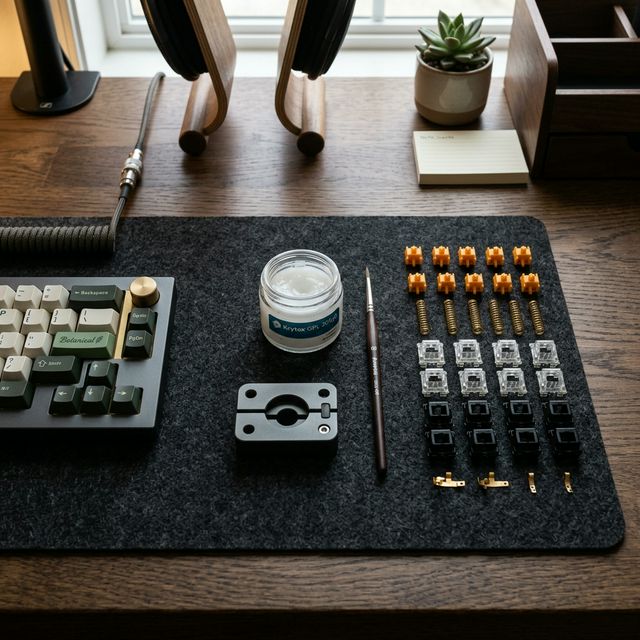
- Switch Opener: A small metal or plastic tool that pops open the switch housing without breaking the tabs.
- Lube (Krytox 205g0): The “Gold Standard.” It’s a thick, white grease that works for almost all switches. (Note: For tactile switches, some prefer Krytox 3203, but 205g0 is fine if applied thinly.)
- Paint Brush: A very thin brush (size 0 or 00).
- Stem Holder: (Optional but recommended) A small claw tool to hold the switch stem so you don’t get grease on your fingers.
- Tweezers: For handling tiny springs.
📝 Step-by-Step: The Lubing Process
Step 1: Open the Switch
Use your switch opener to reveal the 4 components inside: The Bottom Housing, the Spring, the Stem, and the Top Housing.
Step 2: The Bottom Housing
Dip your brush into the lube. Pro Tip: “Less is more.” You should barely see the white grease on the brush.
- Paint the two side rails where the stem slides up and down.
- Paint the bottom floor of the housing (don’t fill the center hole).
Step 3: The Spring
There are two ways to do this:
- Bag Lubing: Throw all your springs into a Ziploc bag with a few drops of Krytox 105 oil and shake it.
- Manual Lubing: Paint a tiny bit of 205g0 on both ends of the spring. This eliminates the “ping” sound.
Step 4: The Stem
This is where the magic happens.
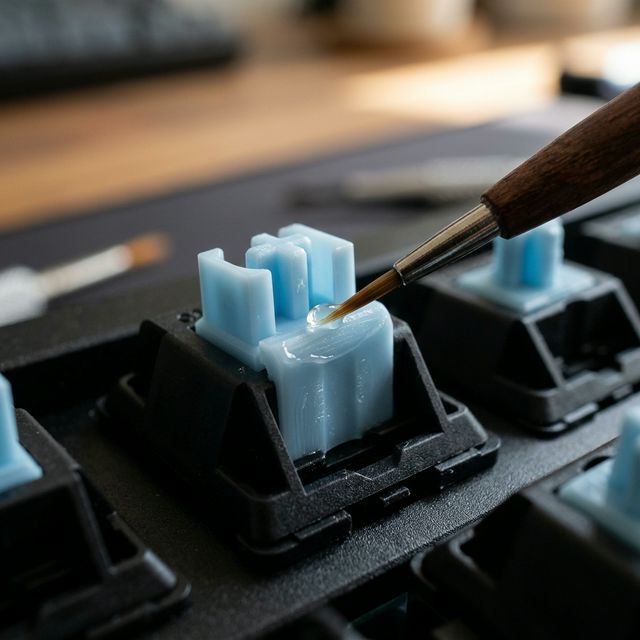
- Paint the four “sides” of the stem.
- Paint the “legs” (the parts that touch the metal leaf).
- ⚠️ WARNING for Tactile Users: If you want to keep the “bump” feeling, DO NOT lube the legs. Lubing the legs on a tactile switch will turn it into a mushy linear switch.
Step 5: Reassemble
Pop everything back together. Snap the top housing onto the bottom housing until you hear a click. Test the switch by pressing it with your finger. It should feel smooth and silent.
❌ Common Beginner Mistakes (Learn from my pain)
- Over-lubing: If the switch feels “sluggish” or takes a second to pop back up, you used too much lube. You’ll have to open it and wipe some off with a microfiber cloth.
- Lost Springs: These little guys love to jump off your desk. Work over a tray or a clean desk mat.
- Mixing Parts: Don’t mix parts from different switch brands. The tolerances are different, and your keyboard might not work properly.
🏁 Final Thoughts: Is it worth it?
Lubing 70 to 100 switches will take you anywhere from 2 to 5 hours. It is tedious. It is repetitive. It might make your back hurt.
But then you’ll plug it in, type your first paragraph, and hear that deep, “thocky” sound. You’ll feel the total absence of friction. And in that moment, you’ll realize you can never go back to stock switches again.
👉 Grab your Switch Lubing Kit and start your first mod!
Welcome to the rabbit hole.
Affiliate Disclosure: This post contains affiliate links. As an Amazon Associate, I earn from qualifying purchases. This helps support the blog at no extra cost to you. Thank you!