Open-plan offices are the new norm. Collaboration, visibility, energy — the modern workplace has it all. But there’s one piece of technology that was never designed with your neighbors in mind: the mechanical keyboard.
That iconic “click-clack” you love? To the person sitting three feet away trying to take a phone call? It’s torture.
The good news: in 2026, you don’t have to choose between a great typing experience and office harmony. Silent mechanical keyboards have evolved dramatically. We’re talking near-inaudible keystrokes, premium build quality, and ergonomic performance that rivals or surpasses their noisy counterparts.
This guide covers everything you need to know — from the physics of keyboard silence, to our top 5 picks for every budget, plus a side-by-side comparison and a concrete recommendation for your situation.
Table of Contents
- Why Keyboard Noise Is a Real Problem
- The Science of a Silent Keyboard
- Top 5 Silent Keyboards for the Office (2026)
- Comparison Table
- Which Silent Switch Should You Choose?
- How to Make Any Keyboard Quieter
- Who Should Buy What? (Quick Buyer’s Guide)
- Conclusion
Why Keyboard Noise Is a Real Problem
Let’s put some numbers to it. A standard mechanical keyboard with Cherry MX Blue switches clocks in at 60–70 dB — roughly the same volume as a normal conversation. In a quiet open office (typically 40–50 dB ambient noise), that’s loud.
Research on open-office ergonomics consistently ranks noise distraction as one of the top two productivity killers, right alongside visual distraction. Every keystroke that makes your colleagues wince is an interruption to their focus, and often to yours as you become self-conscious about it.
The right silent keyboard brings your typing volume down to 30–45 dB — below the ambient noise floor of most offices, effectively making your typing disappear into the background.
The Science of a Silent Keyboard
A keyboard that’s truly quiet isn’t just a regular keyboard with a different switch. Achieving genuine silence requires engineering at multiple levels:
1. Switch-Level Dampening
Silent switches contain internal rubber or silicone dampeners — tiny pads embedded in the stem that cushion the two loudest impact points:
- Downstroke dampener: Cushions where the stem hits the bottom of the housing (the loudest sound).
- Upstroke dampener: Cushions the return stroke when the stem snaps back up (often underestimated but very audible).
Without both dampened, you’ll still hear a soft “thwack” on every keystroke.
2. Gasket Mounting
In a traditional top-mounted or tray-mounted keyboard, the PCB plate is screwed rigidly into the case. Every vibration from a keystroke travels directly through metal into your desk, which acts as a resonating chamber — amplifying the sound.
A gasket-mounted keyboard suspends the plate inside the case on soft silicone or rubber gaskets. Vibrations are absorbed before reaching the case wall. The result is a softer, lower-pitched, naturally quieter sound profile even before you consider the switch type.
3. Sound-Dampening Foam
The interior of the case is the final battlefield. Without foam, sound bounces around inside the hollow cavity and escapes amplified through the bottom. High-end keyboards like the Keychron Q Max pack multiple layers of Poron foam (below the PCB) and IXPE foam (between the PCB and plate) to kill resonance at its source.
4. Case Material and Mass
Heavier, denser materials absorb sound better. An aluminum case with 1–2mm walls significantly outperforms a hollow ABS plastic case in terms of noise suppression, even with the same switches and foam.
Top 5 Silent Keyboards for the Office (2026) {#top-picks}
1. HHKB Professional Hybrid Type-S — The Gold Standard for Silent Professionals
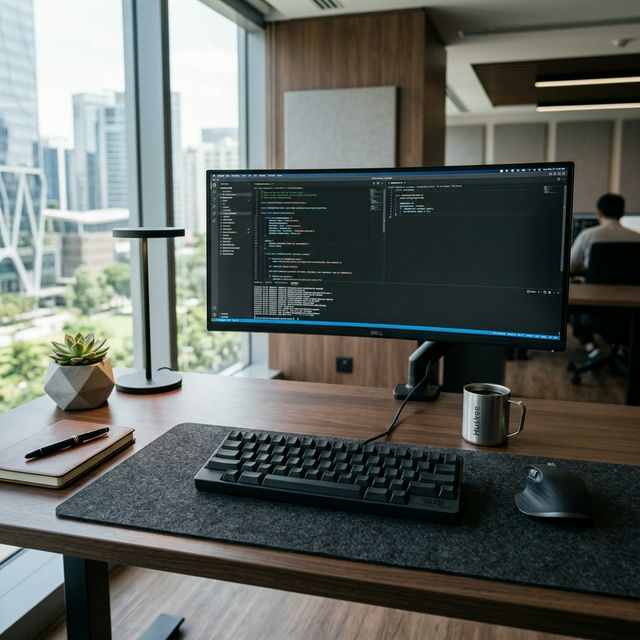
The Happy Hacking Keyboard (HHKB) Professional Hybrid Type-S is, to many professionals, the definitive answer to the question “what’s the best quiet keyboard?” It has held that crown for years — and in 2026, it’s still unmatched in its specific niche.
The “Type-S” designation specifically means “Silent.” PFU (now a Ricoh company) developed a version of their famous Topre switches — which are electrostatic capacitive switches, not traditional mechanical — with built-in silencing dampeners. The result is a keyboard that barely whispers.
Topre vs. Mechanical: Why It Matters for Silence
Topre switches don’t use a traditional spring mechanism. Instead, they use a rubber dome with a conical spring underneath, and the keystroke is registered via capacitance (an electrical field change) rather than physical contact. This means there are far fewer moving plastic parts than a traditional Cherry MX switch, which inherently reduces the “clicky plasticky” sound profile.
Full Specifications
| Specification | Detail |
|---|---|
| Switch | Topre Silent 45g (Electrostatic Capacitive) |
| Layout | 60% (60 keys, unique HHKB layout) |
| Connectivity | USB-C wired + Bluetooth 5.1 (up to 4 devices) |
| Battery | 2x AA batteries (wireless mode) |
| Keycaps | PBT dye-sublimated (textured, shine-resistant) |
| Programmability | Full keymap remapping via HHKB software + DIP switches |
| Compatibility | Windows, macOS, Android, iOS |
| Available Colors | Black (dark gray), White (light gray) |
| Price (2026) | ~$299–$385 USD (check current deals) |
Sound Profile
The HHKB Type-S produces a sound that enthusiasts describe as a muted, pillowy “thud” — deeply satisfying if you enjoy it, and utterly unnoticeable to anyone around you. It bottoms out with so little noise that users in shared offices regularly type without anyone being aware. On a sound meter, it typically registers 35–40 dB at normal typing distances.
Pros
- ✅ Unmatched silence out of the box — no modifications needed
- ✅ Premium Topre feel with “45g” actuation that’s both light and precise
- ✅ Bluetooth 5.1: switch between 4 devices instantly
- ✅ Compact 60% layout that frees up enormous desk space
- ✅ PBT keycaps that won’t shine even after years of use
- ✅ Battle-tested reliability — these boards last 10+ years
Cons
- ❌ Expensive: ~$300+ makes it a significant investment
- ❌ 60% layout requires adapting — no dedicated arrow keys natively (accessible via Fn layer)
- ❌ Wired only for fastest polling rate; Bluetooth polling is 125Hz vs 1000Hz wired
- ❌ Topre switches are not hot-swappable — you can’t change them
Who Should Buy It
This is the board for the professional who types all day, values absolute silence, and sees their keyboard as a long-term investment. Writers, programmers, and executives who want an elite typing experience without disturbing anyone around them.👉 Check Current Price on Amazon
2. Keychron Q Max Series — The Customizer’s Dream
If the HHKB’s price makes you wince or you want the flexibility to tune the keyboard to your exact preference, the Keychron Q Max series is the most versatile choice in this list.
The Q Max (available in Q5 Max, Q6 Max, Q8 Max, and more, each a different layout) is built from full CNC-machined aluminum, featuring Keychron’s proprietary double-gasket mounting system and extensive factory-installed foam. But the key advantage: it is hot-swappable.
Why Hot-Swappable = Silent
The Keychron Q Max ships with Gateron Jupiter switches by default, which are good but not silent. However, since the PCB is hot-swappable, you can pull every switch out without a soldering iron and replace them in about 15 minutes with premium silent alternatives like:
- TTC Frozen Silent V2 (silent linear, ~$28/65pcs): Extremely smooth, crystal-clear housing, excellent dampening.
- Gazzew Boba U4 (silent tactile, ~$35/70pcs): The gold standard for quiet tactile feedback.
This means your Q Max keyboard can be as quiet as you want, and you can always swap back or try new switches as your preferences evolve.
Full Specifications (Keychron Q5 Max, 96% layout example)
| Specification | Detail |
|---|---|
| Case | CNC Aluminum (anodized) |
| Mounting | Double-Gasket |
| Switch | Hot-swappable (5-pin MX compatible) |
| Connectivity | Tri-mode: USB-C, 2.4GHz wireless (1000Hz), Bluetooth 5.1 |
| Software | QMK / VIA fully programmable |
| RGB | South-facing per-key RGB |
| Battery | 6000mAh (up to several months wireless) |
| Stabilizers | Factory pre-lubed screw-in stabilizers |
| Price (2026) | ~$200–$240 USD (assembled) |
Sound Profile (with Silent Switches installed)
With TTC Frozen Silent V2 switches installed, the Q Max typically measures 32–38 dB at typing distance — quieter than the HHKB in terms of raw decibels, because the heavy aluminum case absorbs so much sound.
Pros
- ✅ Ultimate flexibility — swap switches any time, no soldering
- ✅ Tri-mode wireless including 2.4GHz at 1000Hz polling rate
- ✅ Double-gasket = exceptional sound dampening and typing comfort
- ✅ Full QMK/VIA support for complete key remapping
- ✅ Available in 60%, TKL, 96%, and full-size layouts
- ✅ Excellent price-to-performance vs. competing aluminum boards
Cons
- ❌ Heavier than typical keyboards (~2kg) — not ideal for commuters
- ❌ Requires buying and swapping silent switches (adds ~$30 to total cost)
- ❌ Default switches are not silent; needs modification for optimal quiet
Who Should Buy It
Enthusiasts and office workers who want to customize their experience and don’t mind spending 15 minutes swapping switches. The endgame option for those who want the quietest possible aluminum build.👉 Check Current Price on Keychron
3. Leopold FC660C — The Silent Stalwart for Power Typists
While the HHKB gets most of the Topre glory, many serious typists quietly prefer the Leopold FC660C for one main reason: it has dedicated arrow keys in a compact 65% layout, without sacrificing the Topre typing feel.
Leopold’s FC660C is available in both standard and “Silent” configurations. The Silent edition uses the same silenced Topre dome technology as the HHKB but in a heavier, steel-plate–mounted case that gives the typing feel a more solid, definitive character — less “pillowy,” more “planted.”
Full Specifications
| Specification | Detail |
|---|---|
| Switch | Topre Silent 45g or 55g (user’s choice) |
| Layout | 65% (66 keys, includes dedicated arrow keys) |
| Case | ABS plastic with internal steel plate |
| Connectivity | USB wired (USB-C cable included) |
| Keycaps | PBT double-shot (Leopold’s excellent stock caps) |
| Programmability | Limited hardware DIP switches only |
| Available Colors | White, Gray, Black, Blue, Mint |
| Price (2026) | ~$190–$230 USD |
Sound Profile
The FC660C Silent is slightly less quiet than the HHKB Type-S due to its plate-mounted construction (less flex = more sound transmitted). It registers around 38–45 dB at typical typing distances — still well within “office-quiet” territory.
Pros
- ✅ Dedicated arrow keys = no layout compromise for navigation work
- ✅ Topre’s legendary feel at a slightly lower price than HHKB
- ✅ Extremely durable — Leopold keyboards are built to last 15+ years
- ✅ 55g actuation option available for those preferring heavier switches
- ✅ Beautiful stock PBT keycaps with spot-on legends
Cons
- ❌ Wired only — no wireless option available
- ❌ Very limited programmability (DIP switches only)
- ❌ Topre switches cannot be swapped
- ❌ Availability can be limited outside Japan and Korea
Who Should Buy It
Programmers and data-entry professionals who use arrow keys constantly and want a Topre board with more conventional layout. Also excellent for those who prefer a firmer, more planted typing sensation over the HHKB’s springiness.👉 Check Availability on Amazon
4. Logitech MX Keys S — The Corporate Standard
No list of office keyboards would be complete without acknowledging the elephant in the room: most corporate offices don’t have keyboard enthusiasts. They have people who need something that Just Works, connects to their MacBook Pro and Dell monitor at the same time, and doesn’t make noise.
The Logitech MX Keys S is not a mechanical keyboard — it uses scissor-switch mechanism keys. But it’s worth including because for many office workers, it is the best practical answer: whisper-quiet, multi-device Bluetooth, excellent battery life, and backlit keys that adjust automatically to lighting conditions.
Full Specifications
| Specification | Detail |
|---|---|
| Switch | Scissor-switch with spherical key dishes |
| Layout | Full-size (with numpad) |
| Connectivity | Bluetooth (3 devices) + USB receiver (Logi Bolt) |
| Battery | Built-in rechargeable (5 months on battery, USB-C charge) |
| Backlighting | Adaptive (uses ambient light sensor) |
| Software | Logi Options+ (macro, customization) |
| OS Compatibility | Windows, macOS, Linux, ChromeOS |
| Price (2026) | ~$99–$120 USD |
Sound Profile
The MX Keys S is essentially silent — around 25–30 dB at typing distance. Scissor switches have no metal-on-metal contact and no dampening needed. If absolute silence (not just quiet) is the goal, this wins on dB alone.
Pros
- ✅ Near-zero operating noise
- ✅ Excellent ergonomic key dish design — comfortable for all-day typing
- ✅ Multi-device switching (3 devices, 1-second toggle)
- ✅ Best-in-class battery life
- ✅ Available in a matching mouse (MX Master 3S) for a cohesive desk setup
Cons
- ❌ Not a mechanical keyboard — different feel, lower travel
- ❌ No tactile feedback or satisfying actuation feel
- ❌ Not hot-swappable; no customization of feel
- ❌ Some users report key wobble over time
Who Should Buy It
Anyone who prioritizes absolute silence and cross-device convenience over typing feel. Great as a secondary or corporate-issued keyboard, or for those new to quiet keyboards with tight budgets.👉 Check Current Price on Amazon
5. Redragon K552 (with Silent Switches) — The Budget Quiet Board
Not everyone has $200–$300 to spend on a keyboard. The Redragon K552 (in its Silent edition) delivers a genuinely office-safe typing experience for under $50. It uses Outemu Silent Red or Silent Brown switches, which include basic stem dampeners, giving it a surprisingly muted noise profile.
Full Specifications
| Specification | Detail |
|---|---|
| Switch | Outemu Silent Red (linear) or Silent Brown (tactile) |
| Layout | TKL (87 keys, no numpad) |
| Case | ABS plastic with metal top plate |
| Connectivity | USB wired only |
| Backlighting | Red LED (not RGB) on base model |
| Price (2026) | ~$35–$50 USD |
Sound Profile
The K552 Silent is noisier than premium options (~45–52 dB), but significantly quieter than standard clicky or linear switches. The plastic case resonates more than aluminum builds, but a foam insert or desk mat can close that gap meaningfully.
Pros
- ✅ Budget-friendly — the cheapest reliable silent option
- ✅ Durable all-metal top plate
- ✅ Compact TKL form factor (keeps your mouse closer)
- ✅ Plug-and-play — no software required
- ✅ No-compromise entry point into silent mechanical keyboards
Cons
- ❌ Louder than premium options due to plastic resonance
- ❌ Outemu switches feel less refined than Gateron or TTC
- ❌ No wireless; no RGB on base model
- ❌ Not hot-swappable
Who Should Buy It
Students, first-time mechanical keyboard users, or anyone on a strict budget who needs to type quietly in a library, co-working space, or open office. Also a great “test the feel” board before investing in a premium option.👉 Check Current Price on Amazon
Comparison Table {#comparison-table}
| Keyboard | Layout | Switch Type | Connectivity | Noise Level | Price (2026) |
|---|---|---|---|---|---|
| HHKB Hybrid Type-S | 60% | Topre Silent 45g | USB-C + BT 5.1 | 🟢 35-40 dB | ~$299–$385 |
| Keychron Q Max + Silent | Multiple | Hot-swap (Silent Linear/Tactile) | USB + 2.4GHz + BT | 🟢 32-38 dB | ~$230–$270 |
| Leopold FC660C Silent | 65% | Topre Silent 45g/55g | USB-C | 🟡 38-45 dB | ~$190–$230 |
| Logitech MX Keys S | Full-size | Scissor-switch | BT + Logi Bolt | 🟢 25-30 dB | ~$99–$120 |
| Redragon K552 Silent | TKL | Outemu Silent Red/Brown | USB | 🟡 45-52 dB | ~$35–$50 |
Which Silent Switch Should You Choose? {#which-silent-switch-should-you-choose}
If you’re building a custom keyboard or upgrading one like the Keychron Q Max, here’s how to choose your switch:
| Switch | Type | Feel | Office Rating |
|---|---|---|---|
| TTC Frozen Silent V2 | Linear (silent) | Smooth cushioned press, no bump | ⭐⭐⭐⭐⭐ |
| Gazzew Boba U4 | Tactile (silent) | Sharp tactile bump, ultra quiet | ⭐⭐⭐⭐⭐ |
| Gateron Silent Red | Linear (silent) | Smooth, affordable, widely available | ⭐⭐⭐⭐ |
| Cherry MX Silent Red | Linear (silent) | Industry standard, slightly stiffer | ⭐⭐⭐⭐ |
| Topre Silent 45g | Electrostatic Capacitive | Pillowy, unique, non-swappable | ⭐⭐⭐⭐⭐ |
TIP
If you’re unsure between linear vs. tactile silent: linear is always quieter because there’s no bump sound at all. The Boba U4 is tactile and still very quiet, but if someone nearby is hyper-sensitive to noise, go linear.
For a deep dive into switch types and their sound signatures, read our Day 3: Complete Guide to Silent Switches.
How to Make Any Keyboard Quieter {#how-to-make-any-keyboard-quieter}
Even if you’re not ready to buy a new board, here are three quick modifications that can reduce your current keyboard’s noise by 30–50%:
- Add a Desk Mat: A thick felt or rubber mat underneath your keyboard dramatically reduces the resonance transmitted to your desk. See our Day 19: Best Desk Mats Guide for recommendations. This is the single most effective improvement for the least amount of money.
- Install O-rings: Small rubber rings that fit around switch stems, dampening the bottom-out impact. Cost: ~$5. Works with any Cherry MX-compatible switch. Reduces “clack” without changing the switch feel significantly.
- Add Case Foam: For most keyboards, you can open the case and add a layer of craft foam or IXPE foam cut to size. This kills the “hollow” echo that amplifies switch noise. It takes 20 minutes and costs less than $3.
- Lube Your Switches (for the adventurous): Well-lubed linear switches are noticeably smoother and quieter than factory-stock ones, even without dedicated silent dampeners. See our Day 15: Switch Lubing Guide for a step-by-step walkthrough.
Who Should Buy What? Quick Buyer’s Guide {#buyers-guide}
→ “I want the absolute best quiet typing experience, money is no object.” Get the HHKB Professional Hybrid Type-S. It is the definitive answer.
→ “I want the quietest mechanical keyboard AND ultimate flexibility.” Get the Keychron Q Max and swap in TTC Frozen Silent V2 or Boba U4 switches.
→ “I want Topre feel but need dedicated arrow keys.” Get the Leopold FC660C Silent (45g or 55g).
→ “I just need something that doesn’t make noise, I don’t care about ‘mechanical feel’.” Get the Logitech MX Keys S. It’s the quietest option on this list, plug-and-play.
→ “I’m on a tight budget but still want something quieter than a regular keyboard.” Get the Redragon K552 Silent and add a $10 desk mat. You’ll be well within office-acceptable noise levels.
Conclusion {#conclusion}
The open office doesn’t have to be your keyboard’s enemy. With the options available in 2026, from the legendary HHKB to the stunningly quiet Keychron Q Max build, you can have premium mechanical typing feel without disturbing a single colleague.
The key takeaways:
- Silent switches (with both downstroke and upstroke dampeners) are the most critical factor.
- Gasket mounting and case foam multiply the effect.
- Your budget determines the performance ceiling — but even $50 gets you meaningfully quiet.
Whether you’re a programmer who types for 8 hours a day or a manager who occasionally drafts emails, there’s a silent mechanical keyboard that was built for you.
Did you find this helpful? Check out our related guides:
- Day 3: Best Silent Switches for Mechanical Keyboards — A Deep Dive
- Day 15: How to Lube Mechanical Switches (Easy DIY Guide)
- Day 19: Best Desk Mats for Your Mechanical Keyboard Setup
Disclosure: Some links in this article are Amazon Affiliate links. We may earn a small commission at noBest Silent Mechanical Keyboards for Open Offices 2026: The Ultimate Buyer’s Guide
Last Updated: April 2026 | Reading Time: ~12 minutes
Open-plan offices are the new norm. Collaboration, visibility, energy — the modern workplace has it all. But there’s one piece of technology that was never designed with your neighbors in mind: the mechanical keyboard.
That iconic “click-clack” you love? To the person sitting three feet away trying to take a phone call? It’s torture.
The good news: in 2026, you don’t have to choose between a great typing experience and office harmony. Silent mechanical keyboards have evolved dramatically. We’re talking near-inaudible keystrokes, premium build quality, and ergonomic performance that rivals or surpasses their noisy counterparts.
This guide covers everything you need to know — from the physics of keyboard silence, to our top 5 picks for every budget, plus a side-by-side comparison and a concrete recommendation for your situation.
Table of Contents
- Why Keyboard Noise Is a Real Problem
- The Science of a Silent Keyboard
- Top 5 Silent Keyboards for the Office (2026)
- Comparison Table
- Which Silent Switch Should You Choose?
- How to Make Any Keyboard Quieter
- Who Should Buy What? (Quick Buyer’s Guide)
- Conclusion
Why Keyboard Noise Is a Real Problem
Let’s put some numbers to it. A standard mechanical keyboard with Cherry MX Blue switches clocks in at 60–70 dB — roughly the same volume as a normal conversation. In a quiet open office (typically 40–50 dB ambient noise), that’s loud.
Research on open-office ergonomics consistently ranks noise distraction as one of the top two productivity killers, right alongside visual distraction. Every keystroke that makes your colleagues wince is an interruption to their focus, and often to yours as you become self-conscious about it.
The right silent keyboard brings your typing volume down to 30–45 dB — below the ambient noise floor of most offices, effectively making your typing disappear into the background.
The Science of a Silent Keyboard
A keyboard that’s truly quiet isn’t just a regular keyboard with a different switch. Achieving genuine silence requires engineering at multiple levels:
1. Switch-Level Dampening
Silent switches contain internal rubber or silicone dampeners — tiny pads embedded in the stem that cushion the two loudest impact points:
- Downstroke dampener: Cushions where the stem hits the bottom of the housing (the loudest sound).
- Upstroke dampener: Cushions the return stroke when the stem snaps back up (often underestimated but very audible).
Without both dampened, you’ll still hear a soft “thwack” on every keystroke.
2. Gasket Mounting
In a traditional top-mounted or tray-mounted keyboard, the PCB plate is screwed rigidly into the case. Every vibration from a keystroke travels directly through metal into your desk, which acts as a resonating chamber — amplifying the sound.
A gasket-mounted keyboard suspends the plate inside the case on soft silicone or rubber gaskets. Vibrations are absorbed before reaching the case wall. The result is a softer, lower-pitched, naturally quieter sound profile even before you consider the switch type.
3. Sound-Dampening Foam
The interior of the case is the final battlefield. Without foam, sound bounces around inside the hollow cavity and escapes amplified through the bottom. High-end keyboards like the Keychron Q Max pack multiple layers of Poron foam (below the PCB) and IXPE foam (between the PCB and plate) to kill resonance at its source.
4. Case Material and Mass
Heavier, denser materials absorb sound better. An aluminum case with 1–2mm walls significantly outperforms a hollow ABS plastic case in terms of noise suppression, even with the same switches and foam.
Top 5 Silent Keyboards for the Office (2026) {#top-picks}
1. HHKB Professional Hybrid Type-S — The Gold Standard for Silent Professionals

Review
Hero: HHKB on a minimalist professional desk setup
The Happy Hacking Keyboard (HHKB) Professional Hybrid Type-S is, to many professionals, the definitive answer to the question “what’s the best quiet keyboard?” It has held that crown for years — and in 2026, it’s still unmatched in its specific niche.
The “Type-S” designation specifically means “Silent.” PFU (now a Ricoh company) developed a version of their famous Topre switches — which are electrostatic capacitive switches, not traditional mechanical — with built-in silencing dampeners. The result is a keyboard that barely whispers.
Topre vs. Mechanical: Why It Matters for Silence
Topre switches don’t use a traditional spring mechanism. Instead, they use a rubber dome with a conical spring underneath, and the keystroke is registered via capacitance (an electrical field change) rather than physical contact. This means there are far fewer moving plastic parts than a traditional Cherry MX switch, which inherently reduces the “clicky plasticky” sound profile.
Full Specifications
| Specification | Detail |
|---|---|
| Switch | Topre Silent 45g (Electrostatic Capacitive) |
| Layout | 60% (60 keys, unique HHKB layout) |
| Connectivity | USB-C wired + Bluetooth 5.1 (up to 4 devices) |
| Battery | 2x AA batteries (wireless mode) |
| Keycaps | PBT dye-sublimated (textured, shine-resistant) |
| Programmability | Full keymap remapping via HHKB software + DIP switches |
| Compatibility | Windows, macOS, Android, iOS |
| Available Colors | Black (dark gray), White (light gray) |
| Price (2026) | ~$299–$385 USD (check current deals) |
Sound Profile
The HHKB Type-S produces a sound that enthusiasts describe as a muted, pillowy “thud” — deeply satisfying if you enjoy it, and utterly unnoticeable to anyone around you. It bottoms out with so little noise that users in shared offices regularly type without anyone being aware. On a sound meter, it typically registers 35–40 dB at normal typing distances.
Pros
- ✅ Unmatched silence out of the box — no modifications needed
- ✅ Premium Topre feel with “45g” actuation that’s both light and precise
- ✅ Bluetooth 5.1: switch between 4 devices instantly
- ✅ Compact 60% layout that frees up enormous desk space
- ✅ PBT keycaps that won’t shine even after years of use
- ✅ Battle-tested reliability — these boards last 10+ years
Cons
- ❌ Expensive: ~$300+ makes it a significant investment
- ❌ 60% layout requires adapting — no dedicated arrow keys natively (accessible via Fn layer)
- ❌ Wired only for fastest polling rate; Bluetooth polling is 125Hz vs 1000Hz wired
- ❌ Topre switches are not hot-swappable — you can’t change them
Who Should Buy It
This is the board for the professional who types all day, values absolute silence, and sees their keyboard as a long-term investment. Writers, programmers, and executives who want an elite typing experience without disturbing anyone around them.👉 Check Current Price on Amazon
2. Keychron Q Max Series — The Customizer’s Dream
If the HHKB’s price makes you wince or you want the flexibility to tune the keyboard to your exact preference, the Keychron Q Max series is the most versatile choice in this list.
The Q Max (available in Q5 Max, Q6 Max, Q8 Max, and more, each a different layout) is built from full CNC-machined aluminum, featuring Keychron’s proprietary double-gasket mounting system and extensive factory-installed foam. But the key advantage: it is hot-swappable.
Why Hot-Swappable = Silent
The Keychron Q Max ships with Gateron Jupiter switches by default, which are good but not silent. However, since the PCB is hot-swappable, you can pull every switch out without a soldering iron and replace them in about 15 minutes with premium silent alternatives like:
- TTC Frozen Silent V2 (silent linear, ~$28/65pcs): Extremely smooth, crystal-clear housing, excellent dampening.
- Gazzew Boba U4 (silent tactile, ~$35/70pcs): The gold standard for quiet tactile feedback.
This means your Q Max keyboard can be as quiet as you want, and you can always swap back or try new switches as your preferences evolve.
Full Specifications (Keychron Q5 Max, 96% layout example)
| Specification | Detail |
|---|---|
| Case | CNC Aluminum (anodized) |
| Mounting | Double-Gasket |
| Switch | Hot-swappable (5-pin MX compatible) |
| Connectivity | Tri-mode: USB-C, 2.4GHz wireless (1000Hz), Bluetooth 5.1 |
| Software | QMK / VIA fully programmable |
| RGB | South-facing per-key RGB |
| Battery | 6000mAh (up to several months wireless) |
| Stabilizers | Factory pre-lubed screw-in stabilizers |
| Price (2026) | ~$200–$240 USD (assembled) |
Sound Profile (with Silent Switches installed)
With TTC Frozen Silent V2 switches installed, the Q Max typically measures 32–38 dB at typing distance — quieter than the HHKB in terms of raw decibels, because the heavy aluminum case absorbs so much sound.
Pros
- ✅ Ultimate flexibility — swap switches any time, no soldering
- ✅ Tri-mode wireless including 2.4GHz at 1000Hz polling rate
- ✅ Double-gasket = exceptional sound dampening and typing comfort
- ✅ Full QMK/VIA support for complete key remapping
- ✅ Available in 60%, TKL, 96%, and full-size layouts
- ✅ Excellent price-to-performance vs. competing aluminum boards
Cons
- ❌ Heavier than typical keyboards (~2kg) — not ideal for commuters
- ❌ Requires buying and swapping silent switches (adds ~$30 to total cost)
- ❌ Default switches are not silent; needs modification for optimal quiet
Who Should Buy It
Enthusiasts and office workers who want to customize their experience and don’t mind spending 15 minutes swapping switches. The endgame option for those who want the quietest possible aluminum build.👉 Check Current Price on Keychron
3. Leopold FC660C — The Silent Stalwart for Power Typists
While the HHKB gets most of the Topre glory, many serious typists quietly prefer the Leopold FC660C for one main reason: it has dedicated arrow keys in a compact 65% layout, without sacrificing the Topre typing feel.
Leopold’s FC660C is available in both standard and “Silent” configurations. The Silent edition uses the same silenced Topre dome technology as the HHKB but in a heavier, steel-plate–mounted case that gives the typing feel a more solid, definitive character — less “pillowy,” more “planted.”
Full Specifications
| Specification | Detail |
|---|---|
| Switch | Topre Silent 45g or 55g (user’s choice) |
| Layout | 65% (66 keys, includes dedicated arrow keys) |
| Case | ABS plastic with internal steel plate |
| Connectivity | USB wired (USB-C cable included) |
| Keycaps | PBT double-shot (Leopold’s excellent stock caps) |
| Programmability | Limited hardware DIP switches only |
| Available Colors | White, Gray, Black, Blue, Mint |
| Price (2026) | ~$190–$230 USD |
Sound Profile
The FC660C Silent is slightly less quiet than the HHKB Type-S due to its plate-mounted construction (less flex = more sound transmitted). It registers around 38–45 dB at typical typing distances — still well within “office-quiet” territory.
Pros
- ✅ Dedicated arrow keys = no layout compromise for navigation work
- ✅ Topre’s legendary feel at a slightly lower price than HHKB
- ✅ Extremely durable — Leopold keyboards are built to last 15+ years
- ✅ 55g actuation option available for those preferring heavier switches
- ✅ Beautiful stock PBT keycaps with spot-on legends
Cons
- ❌ Wired only — no wireless option available
- ❌ Very limited programmability (DIP switches only)
- ❌ Topre switches cannot be swapped
- ❌ Availability can be limited outside Japan and Korea
Who Should Buy It
Programmers and data-entry professionals who use arrow keys constantly and want a Topre board with more conventional layout. Also excellent for those who prefer a firmer, more planted typing sensation over the HHKB’s springiness.👉 Check Availability on Amazon / Fujitsu
4. Logitech MX Keys S — The Corporate Standard
No list of office keyboards would be complete without acknowledging the elephant in the room: most corporate offices don’t have keyboard enthusiasts. They have people who need something that Just Works, connects to their MacBook Pro and Dell monitor at the same time, and doesn’t make noise.
The Logitech MX Keys S is not a mechanical keyboard — it uses scissor-switch mechanism keys. But it’s worth including because for many office workers, it is the best practical answer: whisper-quiet, multi-device Bluetooth, excellent battery life, and backlit keys that adjust automatically to lighting conditions.
Full Specifications
| Specification | Detail |
|---|---|
| Switch | Scissor-switch with spherical key dishes |
| Layout | Full-size (with numpad) |
| Connectivity | Bluetooth (3 devices) + USB receiver (Logi Bolt) |
| Battery | Built-in rechargeable (5 months on battery, USB-C charge) |
| Backlighting | Adaptive (uses ambient light sensor) |
| Software | Logi Options+ (macro, customization) |
| OS Compatibility | Windows, macOS, Linux, ChromeOS |
| Price (2026) | ~$99–$120 USD |
Sound Profile
The MX Keys S is essentially silent — around 25–30 dB at typing distance. Scissor switches have no metal-on-metal contact and no dampening needed. If absolute silence (not just quiet) is the goal, this wins on dB alone.
Pros
- ✅ Near-zero operating noise
- ✅ Excellent ergonomic key dish design — comfortable for all-day typing
- ✅ Multi-device switching (3 devices, 1-second toggle)
- ✅ Best-in-class battery life
- ✅ Available in a matching mouse (MX Master 3S) for a cohesive desk setup
Cons
- ❌ Not a mechanical keyboard — different feel, lower travel
- ❌ No tactile feedback or satisfying actuation feel
- ❌ Not hot-swappable; no customization of feel
- ❌ Some users report key wobble over time
Who Should Buy It
Anyone who prioritizes absolute silence and cross-device convenience over typing feel. Great as a secondary or corporate-issued keyboard, or for those new to quiet keyboards with tight budgets.👉 Check Current Price on Amazon
5. Redragon K552 (with Silent Switches) — The Budget Quiet Board

Review
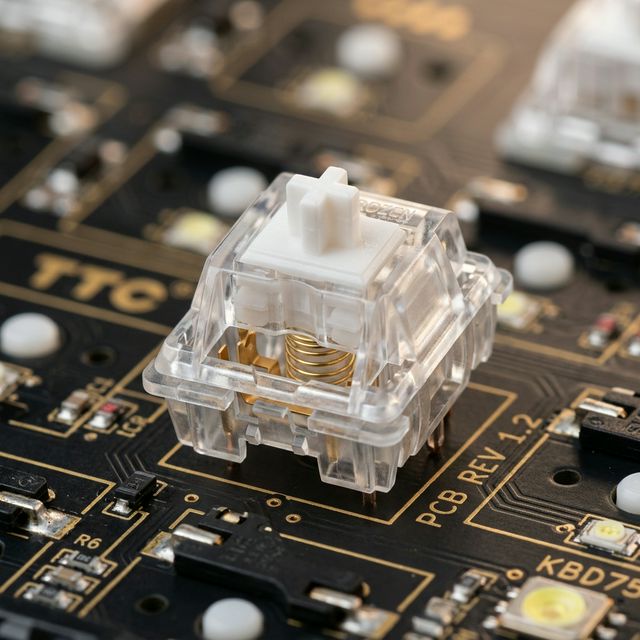
Macro: TTC Frozen Silent V2 switch on a PCB
Not everyone has $200–$300 to spend on a keyboard. The Redragon K552 (in its Silent edition) delivers a genuinely office-safe typing experience for under $50. It uses Outemu Silent Red or Silent Brown switches, which include basic stem dampeners, giving it a surprisingly muted noise profile.
Full Specifications
| Specification | Detail |
|---|---|
| Switch | Outemu Silent Red (linear) or Silent Brown (tactile) |
| Layout | TKL (87 keys, no numpad) |
| Case | ABS plastic with metal top plate |
| Connectivity | USB wired only |
| Backlighting | Red LED (not RGB) on base model |
| Price (2026) | ~$35–$50 USD |
Sound Profile
The K552 Silent is noisier than premium options (~45–52 dB), but significantly quieter than standard clicky or linear switches. The plastic case resonates more than aluminum builds, but a foam insert or desk mat can close that gap meaningfully.
Pros
- ✅ Budget-friendly — the cheapest reliable silent option
- ✅ Durable all-metal top plate
- ✅ Compact TKL form factor (keeps your mouse closer)
- ✅ Plug-and-play — no software required
- ✅ No-compromise entry point into silent mechanical keyboards
Cons
- ❌ Louder than premium options due to plastic resonance
- ❌ Outemu switches feel less refined than Gateron or TTC
- ❌ No wireless; no RGB on base model
- ❌ Not hot-swappable
Who Should Buy It
Students, first-time mechanical keyboard users, or anyone on a strict budget who needs to type quietly in a library, co-working space, or open office. Also a great “test the feel” board before investing in a premium option.👉 Check Current Price on Amazon
Comparison Table {#comparison-table}
| Keyboard | Layout | Switch Type | Connectivity | Noise Level | Price (2026) |
|---|---|---|---|---|---|
| HHKB Hybrid Type-S | 60% | Topre Silent 45g | USB-C + BT 5.1 | 🟢 35-40 dB | ~$299–$385 |
| Keychron Q Max + Silent | Multiple | Hot-swap (Silent Linear/Tactile) | USB + 2.4GHz + BT | 🟢 32-38 dB | ~$230–$270 |
| Leopold FC660C Silent | 65% | Topre Silent 45g/55g | USB-C | 🟡 38-45 dB | ~$190–$230 |
| Logitech MX Keys S | Full-size | Scissor-switch | BT + Logi Bolt | 🟢 25-30 dB | ~$99–$120 |
| Redragon K552 Silent | TKL | Outemu Silent Red/Brown | USB | 🟡 45-52 dB | ~$35–$50 |
Which Silent Switch Should You Choose? {#which-silent-switch-should-you-choose}
If you’re building a custom keyboard or upgrading one like the Keychron Q Max, here’s how to choose your switch:
| Switch | Type | Feel | Office Rating |
|---|---|---|---|
| TTC Frozen Silent V2 | Linear (silent) | Smooth cushioned press, no bump | ⭐⭐⭐⭐⭐ |
| Gazzew Boba U4 | Tactile (silent) | Sharp tactile bump, ultra quiet | ⭐⭐⭐⭐⭐ |
| Gateron Silent Red | Linear (silent) | Smooth, affordable, widely available | ⭐⭐⭐⭐ |
| Cherry MX Silent Red | Linear (silent) | Industry standard, slightly stiffer | ⭐⭐⭐⭐ |
| Topre Silent 45g | Electrostatic Capacitive | Pillowy, unique, non-swappable | ⭐⭐⭐⭐⭐ |
TIP
If you’re unsure between linear vs. tactile silent: linear is always quieter because there’s no bump sound at all. The Boba U4 is tactile and still very quiet, but if someone nearby is hyper-sensitive to noise, go linear.
For a deep dive into switch types and their sound signatures, read our Day 3: Complete Guide to Silent Switches.
How to Make Any Keyboard Quieter {#how-to-make-any-keyboard-quieter}
Even if you’re not ready to buy a new board, here are three quick modifications that can reduce your current keyboard’s noise by 30–50%:
- Add a Desk Mat: A thick felt or rubber mat underneath your keyboard dramatically reduces the resonance transmitted to your desk. See our Day 19: Best Desk Mats Guide for recommendations. This is the single most effective improvement for the least amount of money.
- Install O-rings: Small rubber rings that fit around switch stems, dampening the bottom-out impact. Cost: ~$5. Works with any Cherry MX-compatible switch. Reduces “clack” without changing the switch feel significantly.
- Add Case Foam: For most keyboards, you can open the case and add a layer of craft foam or IXPE foam cut to size. This kills the “hollow” echo that amplifies switch noise. It takes 20 minutes and costs less than $3.
- Lube Your Switches (for the adventurous): Well-lubed linear switches are noticeably smoother and quieter than factory-stock ones, even without dedicated silent dampeners. See our Day 15: Switch Lubing Guide for a step-by-step walkthrough.
Who Should Buy What? Quick Buyer’s Guide {#buyers-guide}
→ “I want the absolute best quiet typing experience, money is no object.” Get the HHKB Professional Hybrid Type-S. It is the definitive answer.
→ “I want the quietest mechanical keyboard AND ultimate flexibility.” Get the Keychron Q Max and swap in TTC Frozen Silent V2 or Boba U4 switches.
→ “I want Topre feel but need dedicated arrow keys.” Get the Leopold FC660C Silent (45g or 55g).
→ “I just need something that doesn’t make noise, I don’t care about ‘mechanical feel’.” Get the Logitech MX Keys S. It’s the quietest option on this list, plug-and-play.
→ “I’m on a tight budget but still want something quieter than a regular keyboard.” Get the Redragon K552 Silent and add a $10 desk mat. You’ll be well within office-acceptable noise levels.
Conclusion {#conclusion}
The open office doesn’t have to be your keyboard’s enemy. With the options available in 2026, from the legendary HHKB to the stunningly quiet Keychron Q Max build, you can have premium mechanical typing feel without disturbing a single colleague.
The key takeaways:
- Silent switches (with both downstroke and upstroke dampeners) are the most critical factor.
- Gasket mounting and case foam multiply the effect.
- Your budget determines the performance ceiling — but even $50 gets you meaningfully quiet.
Whether you’re a programmer who types for 8 hours a day or a manager who occasionally drafts emails, there’s a silent mechanical keyboard that was built for you.
Disclosure: Some links in this article are Amazon Affiliate links. We may earn a small commission at no extra cost to you if you purchase through them. extra cost to you if you purchase through them.