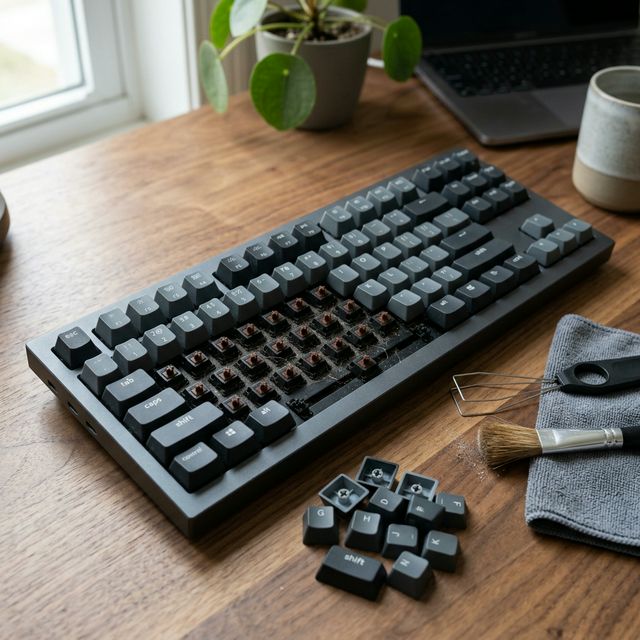
Let’s be honest: your mechanical keyboard is probably one of the dirtiest things on your desk. Between skin oils, dust, and the occasional snack crumb, your high-end switches are fighting a losing battle against “the grime.”
Cleaning your keyboard isn’t just about making it look pretty—it’s about preventing switch failure and keeping your typing experience hygienic and smooth.
Here is the ultimate guide to keeping your board in mint condition.
🛠️ The Essential Toolkit
To do a proper job, we recommend a Professional 7-in-1 Cleaning Kit. It includes:
- Wire Keycap Puller: Safer than plastic ones (won’t scratch your keycaps).
- Soft-bristle Brush: A dedicated cleaning brush or even a clean makeup brush works wonders.
- Compressed Air: For blowing away stubborn dust from under the switches.
- Microfiber Cloth: For wiping down the frame.
- Isopropyl Alcohol (70%): For disinfecting (use sparingly!).
🧼 Level 1: The “Weekly Quick Clean” (5 Minutes)
You don’t need to take the whole board apart every week. Just do this:
- Unplug the keyboard.
- Turn it upside down and give it a gentle shake to dislodge loose debris.
- Use compressed air to blow between the rows of keycaps.
- Wipe the keycaps with a slightly damp microfiber cloth to remove oils.
🫧 Level 2: The “Deep Clean” (Every 1-3 Months)
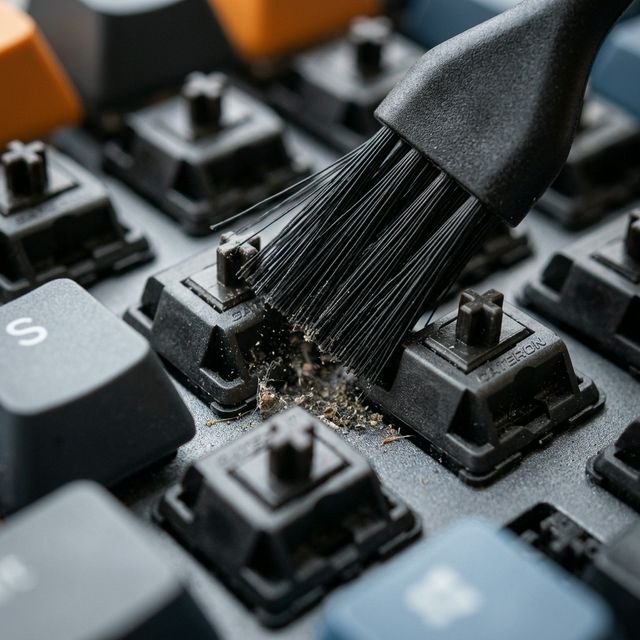
This is where the magic happens.
Step 1: Remove the Keycaps
Use your wire puller to carefully remove all keycaps. Pro Tip: Take a photo of your keyboard layout first so you know where everything goes back!
Step 2: Wash the Keycaps
Fill a bowl with warm water and a drop of dish soap. Let the keycaps soak for 30 minutes. Scrub any stubborn grime with a soft brush, rinse with cold water, and let them air dry completely (usually 24 hours).
Step 3: Clean the Plate
While the caps are drying, use your brush and compressed air to clean the “plate” (the surface where the switches are mounted). This is usually where the most dust accumulates.
Step 4: Wipe the Frame
Use a microfiber cloth with a tiny bit of alcohol to wipe the keyboard case.
⚠️ The “Golden Rules” of Keyboard Cleaning
- NEVER use a vacuum cleaner: Vacuums generate static electricity which can fry your PCB.
- NEVER spray liquid directly on the board: Always spray onto your cloth first.
- Wait for 100% Dryness: If even a drop of water is inside a keycap when you put it back on, it could drip into the switch and cause a short circuit.
🏁 Final Maintenance Tips
- Wash your hands before long typing sessions. It sounds simple, but it’s the #1 way to prevent ABS keycap “shine.”
- Keep a dust cover on your keyboard when you aren’t using it (or use a Felt Desk Mat to catch falling particles).
- Check your switches: If a key feels “crunchy,” it might be time to Lube your Switches again.
Affiliate Disclosure: This post contains affiliate links. As an Amazon Associate, I earn from qualifying purchases. Thank you for supporting the blog!