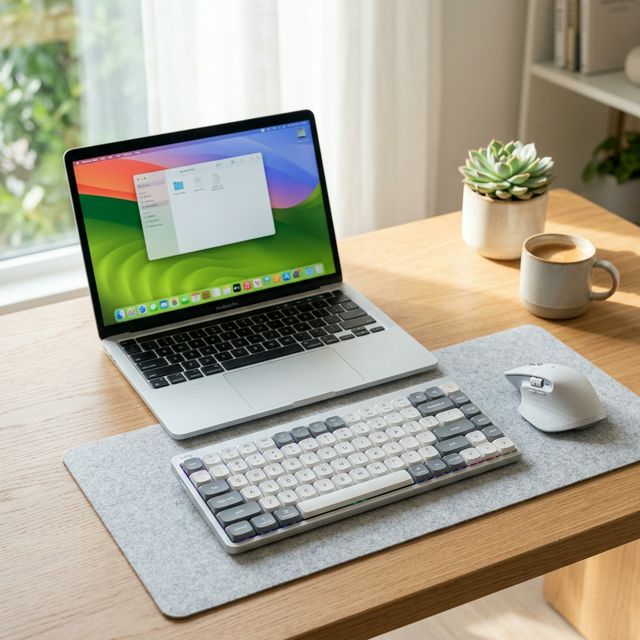
MacBook users have a tricky relationship with mechanical keyboards.
On one hand, the built-in laptop keyboard (since they fixed the infamous butterfly mechanism) is quite good for typing in coffee shops. On the other hand, it’s flat, uninspiring, and lacks the ergonomic depth needed for a 10-hour workday at a desk.
The problem? Most mechanical keyboards look like they belong on a spaceship. They are chunky, covered in RGB lighting, and default to Windows layouts (Alt and Windows keys instead of Option and Command).
If you want the tactile joy of a mechanical switch but demand the sleek, minimalist aesthetic of Apple products, low-profile mechanical keyboards are your best bet. Here are the top options that integrate seamlessly with macOS in 2026.
1. The Undisputed Mac King: NuPhy Air75 V2
We recently did a Massive 3,000-Word Deep Dive Review of the NuPhy Air75 V2, and there is a reason we love it so much. NuPhy fundamentally understands Mac users.
Why it’s perfect for Mac:
- Native Layout: It comes out of the box with Mac keycaps installed (
Command,Option). - Hardware Toggle: There is a physical switch on the back to change the firmware from Windows to Mac instantly.
- Form Factor: At just 16mm thick, it matches the design language of your MacBook. It even fits perfectly over the built-in keyboard of the laptop.
- Function Keys: The F-row keys natively map to Mac functions (Brightness, Launchpad, Mission Control, Volume) without needing extra software.
If you are looking for the absolute best typing experience that feels like a natural extension of your Mac, this is it.
2. The Professional’s Choice: Logitech MX Mechanical Mini For Mac
Logitech has been dominating the productivity space for years, and their “For Mac” line is famous for its reliability.
Why it’s perfect for Mac:
- Space Gray Aesthetic: The color matching is flawless. It sits next to a Space Gray MacBook Pro and looks like an official Apple accessory in a way that colourful keyboards don’t.
- Logi Options+: Logitech’s software is incredibly polished for macOS. You can set specific macros or shortcuts for apps like Final Cut Pro or Excel.
- “Flow” Technology: If you use a MacBook and an iPad (or a PC) simultaneously, Logitech Flow lets you seamlessly move your cursor and typing across devices as if they were one screen.
Choose the tactile (Brown) switches for a quiet, office-friendly experience.
3. The Budget Customizer: Keychron K3 Max
Keychron built its entire brand by catering to Mac users first, Windows users second. The K3 Max is their latest refinement of the ultimate entry-level low-profile board.
Why it’s perfect for Mac:
- QMK/VIA Support: This is massive. It allows you to remap any key on a hardware level via a web browser. If you want the Caps Lock key to act as an
Escapekey, it takes two clicks. - Value: It offers sound dampening foam and hot-swappable switches at a price much lower than NuPhy or Logitech.
- Multi-Device Bluetooth: It switches between your MacBook, iPhone, and iPad flawlessly, remembering up to 3 devices.
If you like to tinker and adjust your layout but want a native Mac experience out of the box, Keychron is unbeatable.
What to Look For in a Mac-Friendly Keyboard
When shopping outside this list, make sure the keyboard has:
- Mac Keycaps Included: You don’t want to rely on muscle memory to remember that the
Windowskey is yourOptionkey. - Mac Mode Toggle: A keyboard that actively changes its modifier keys on a firmware level is much more reliable than using software like Karabiner-Elements to remap an incompatible Windows board.
- **Bluetooth 5.1+: ** MacBooks have notoriously picky Bluetooth receivers. A modern Bluetooth chip ensures the keyboard wakes up instantly when your Mac wakes from sleep.
Final Verdict: For pure typing joy and modern design, get the NuPhy Air75 V2. If you want a stealthy, corporate look, grab the Logitech MX Mechanical Mini.