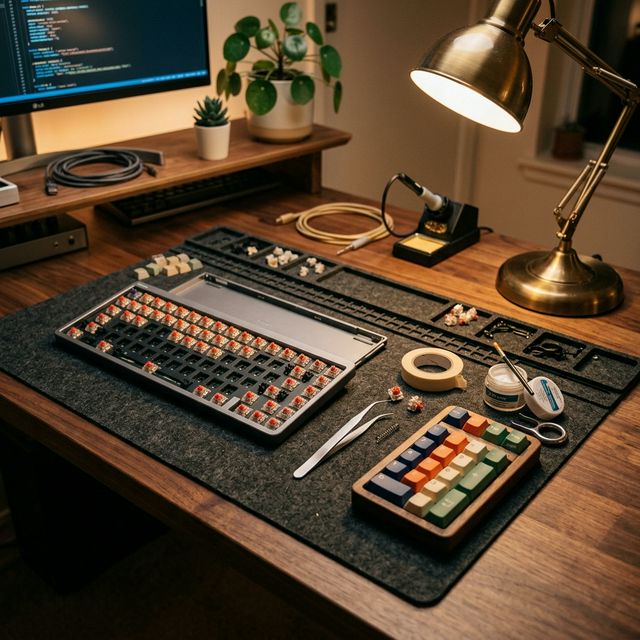
Your Ultimate Modding Station
One of the biggest misconceptions in the mechanical keyboard world is that low-profile keyboards cannot be modded.
People think that because they are slim and use specialized switches, you’re stuck with whatever comes out of the box. I’m here to tell you: That couldn’t be further from the truth.
Whether you want to change the aesthetic with custom keycaps or deep-tune the sound with a “Tape Mod,” there are plenty of ways to make your slim board feel unique. Let’s dive into the best DIY projects for your low-profile setup.
1. Custom Keycaps: The Easiest Aesthetic Upgrade
The easiest way to make a keyboard “yours” is by changing the keycaps. However, low-profile boards (especially those from NuPhy and Keychron) use a specific stem offset.
What to Look For:
- Profile: Look for “NSA,” “LSA,” or “Low-Profile PBT” keycaps.
- Shine-Through vs. Solid: If you love RGB, go for shine-through. If you want that premium, thocky sound, thick PBT Dye-Sub keycaps are the gold standard.
- The NuPhy Effect: NuPhy’s “nSA” profile is widely considered the best-feeling low-profile keycap shape. You can actually buy their themed sets (like the Christmas or Halloween editions) and put them on other brands’ boards.
2. The “Tape Mod” (Tempest Mod) for Deep Sound
If your keyboard sounds a bit thin or higher-pitched than you’d like, the Tape Mod is a miracle worker.
How to do it:
- Open up your keyboard case (carefully!).
- Apply 1-2 layers of standard masking tape (painter’s tape) directly to the back of the PCB.
- Put the case back together.
Why it works: The tape acts as a low-pass filter. It absorbs high frequencies and reflects low ones, giving your keyboard that legendary “Creamy” sound we discussed in our Day 8 Pillar Post.
3. PE Foam Mod: The “Marbly” Sound
Want your keyboard to sound like marbles clacking together (the “Marbly” sound)? This is the secret.
How to do it:
- Find a thin sheet of PE foam (the kind often used for packaging electronics).
- Lay it between your switches and the PCB.
- Poke holes through the foam for the switch pins.
This mod is a bit more advanced but results in a significantly crisper and more satisfying typing sound.
4. O-Rings: Silencing the Bottom-Out
If you work in a quiet office and find your low-profile board is still a bit too loud when you bottom out, O-Rings are your best friend.
These small silicone rings sit on the stem of the keycap. They reduce the travel distance slightly and “cushion” the landing. It makes the typing feel a bit softer and significantly quieter.
5. Don’t Forget the Stabilizers!
Nothing ruins a premium keyboard like a “rattly” spacebar. Even on low-profile boards, you can apply a tiny bit of Krytox 205g0 grease to the stabilizers.
The result? A smooth, solid “thump” every time you hit the spacebar, instead of a hollow “clack.”
Summary: Which Mod is for You?
| Goal | Best Mod | Difficulty |
|---|---|---|
| New Look | Custom Keycaps | Very Easy |
| Deeper Sound | Tape Mod | Medium |
| Crisper Sound | PE Foam Mod | Hard |
| Quieter Typing | O-Rings | Easy |
Final Thoughts
Modding a low-profile keyboard is about fine-tuning your experience. You don’t have to do everything at once. Start with a set of keycaps you love, and then try the Tape Mod on a rainy weekend. You’ll be amazed at how much “soul” you can add to a slim piece of technology.
Which mod are you going to try first? Let me know in the comments below!