Choosing a mechanical keyboard is about more than just switches and keycaps. One of the most important decisions you’ll make is the layout. The layout determines how many keys you have, how much desk space you’ll save, and how your muscle memory will adapt.
In this guide, we’ll break down the most popular keyboard layouts—from the traditional Full-size to the minimalist 60%—to help you find your perfect match.
1. Full-Size (100%) – The Classic Workhorse
The Full-size keyboard is the standard layout most people are familiar with. It typically features 104 or 105 keys, including a dedicated number pad (numpad), function row, and arrow keys.
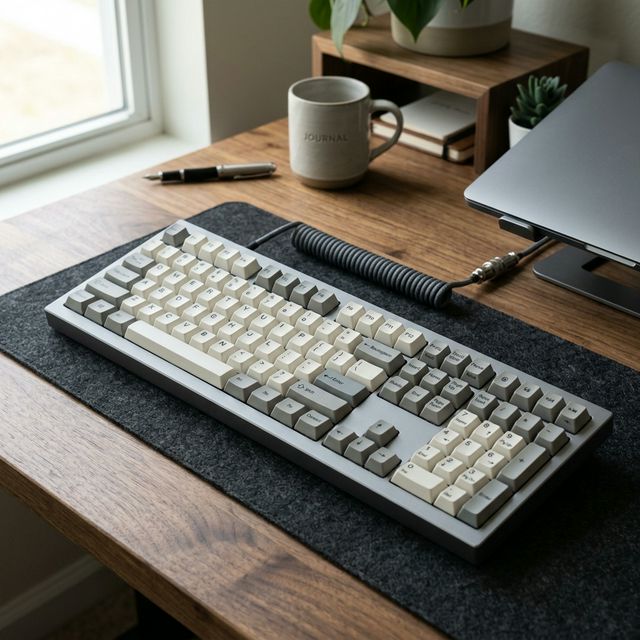
Personal Take: I grew up with this layout, and there’s a certain comfort in knowing exactly where every key is without thinking. However, after switching to smaller boards, the Full-size now feels like a “desk hog.” If you aren’t doing heavy Excel work, your right shoulder will thank you for moving away from this.
- Best for: Data entry professionals, accountants, and anyone who uses the numpad frequently.
- Pros: No learning curve; all keys are easily accessible.
- Cons: Takes up significant desk space; forces your mouse further away, which can lead to shoulder strain.
2. Tenkeyless (TKL or 80%) – The Gaming Gold Standard
The TKL layout removes the numpad but keeps everything else. This is arguably the most popular layout for gamers and general enthusiasts.
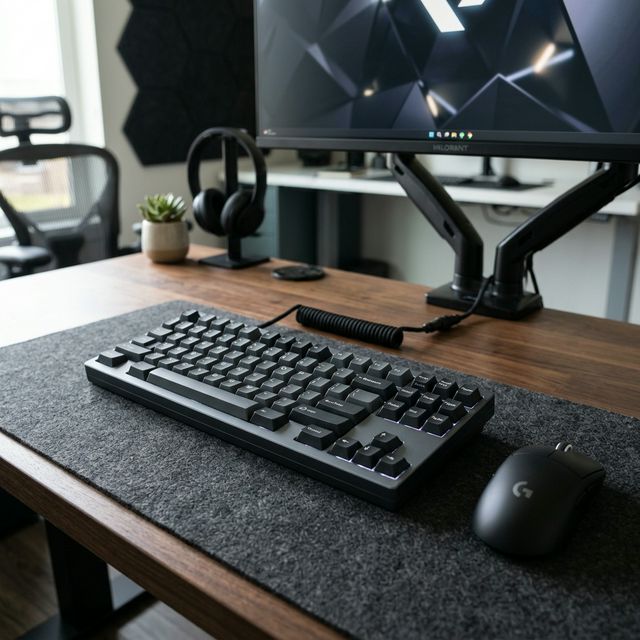
Personal Take: This is my “safe bet” recommendation for anyone’s first mechanical keyboard. It’s the perfect balance. You get that extra mouse space (crucial for low-DPI gaming) without the frustration of learning a new layout. It just feels… right.
- Best for: Gamers and office workers who want more desk room for mouse movement.
- Pros: Compact while retaining the function row and arrow keys.
- Cons: Lack of a dedicated numpad can be annoying for spreadsheet work.
3. 75% Layout – Compact and Functional
The 75% layout is essentially a TKL keyboard but squashed together. It removes the empty space between the main cluster and the arrow keys, resulting in a very compact footprint that still includes the F-row.
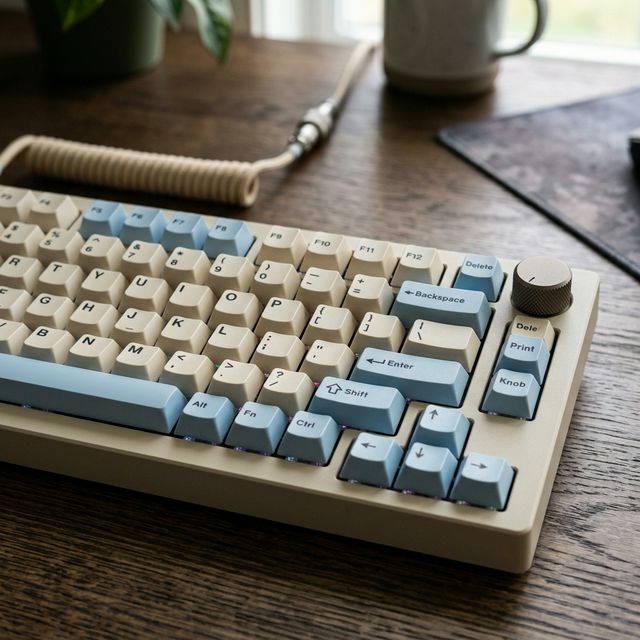
Personal Take: 75% boards have a “busy” aesthetic that I personally love. It looks sophisticated and techy. It’s the highest density of functionality you can get. If you’re a developer who uses
F5orF12constantly, this is your endgame.
- Best for: Developers and writers who need F-keys and arrow keys but want a smaller form factor.
- Pros: Balanced aesthetic; highly efficient use of space.
- Cons: Can have non-standard keycap sizes (e.g., a smaller Right Shift key), making it harder to find custom keycap sets.
4. 65% Layout – The Sweet Spot for Enthusiasts
The 65% layout is often considered the “perfect” layout by the community. It removes the function row but keeps the arrow keys and a few navigation keys (like Delete, PgUp, PgDn).
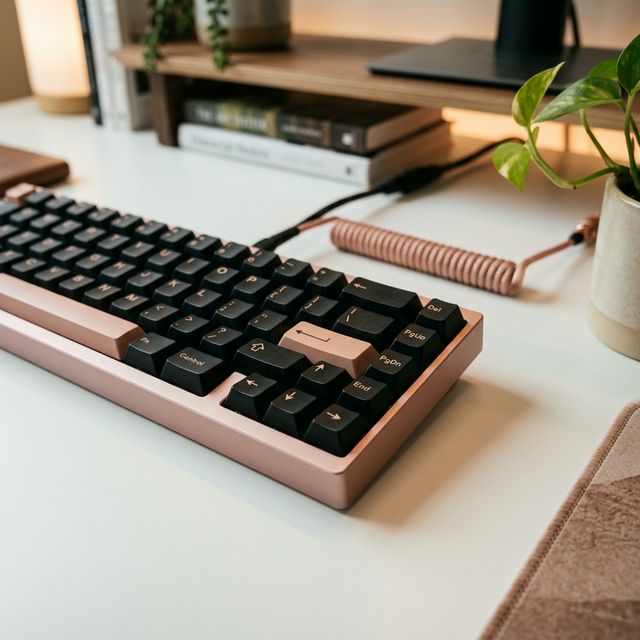
Personal Take: This is where I currently live. Losing the F-row was scary at first, but once you map them to a layer, you realize you don’t miss them that much. But let’s be honest—I’m only here because I can’t live without my arrow keys. It’s the “Goldilocks” of keyboard layouts.
- Best for: Minimalists who still rely on dedicated arrow keys.
- Pros: Extremely compact; looks modern and sleek.
- Cons: Requires learning “layer” shortcuts for F-keys and other missing functions.
5. 60% Layout – The Purest Form of Minimalism
The 60% layout is the ultimate space-saver. It removes the numpad, function row, and even the arrow keys. Every missing function is accessed via a ‘Function’ (Fn) layer.
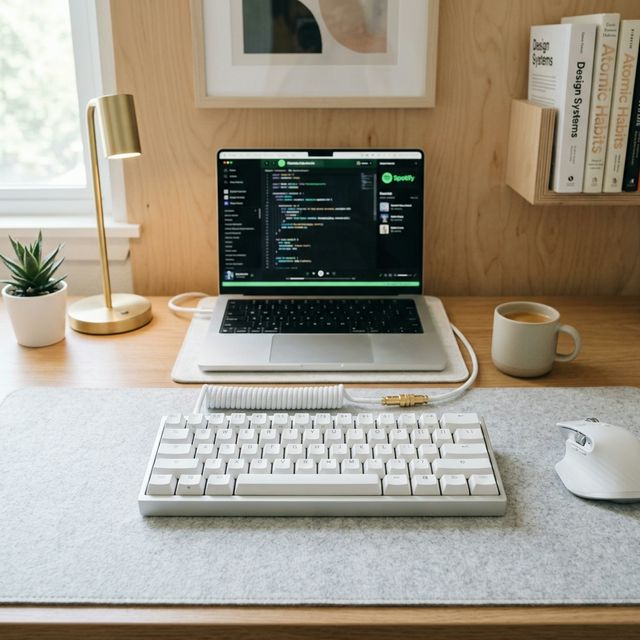
Personal Take: 60% is a lifestyle choice. It’s for the people who want their desk to look like a Pinterest board. I tried it for a month, and while it looks stunning, I found myself constantly fumbling for the arrow keys. It’s beautiful, it’s portable, but it requires commitment.
- Best for: Travelers, competitive FPS gamers, and extreme minimalists.
- Pros: Maximum desk space; extremely portable.
- Cons: Steep learning curve; accessing arrow keys via layers can be frustrating for some.
Conclusion: Which One Should You Choose?
In the end, the choice depends on your specific workflow. If you want a minimalist look and can learn shortcuts, go for a 60% or 65%. If you still need the functionality of a full keyboard but want to save space, TKL or 75% is the way to go.
Happy typing!